
WhatsApp Marketing for Travel Agencies: How to Get More Enquiries 💬
🎯 TL;DR WhatsApp is the dominant messaging platform in the Middle East, South Asia, and many European markets — and for travel agencies in these regions, it’s often the highest-converting enquiry channel available. A travel agency using WhatsApp Business effectively can capture enquiries through a click-to-chat link on every touchpoint, respond to leads within minutes using automated greeting messages, nurture past customers through broadcast lists, and convert casual conversations into confirmed bookings through personalised consultations. WhatsApp Business is completely free and takes under 30 minutes to set up properly.
💡 Summary Most travel agencies either don’t use WhatsApp for marketing at all or use a personal number unprofessionally. Both approaches leave significant revenue on the table. WhatsApp Business gives travel agencies a dedicated, professional channel for enquiries, follow-ups, and customer relationships — and in markets where WhatsApp is the primary communication tool, it’s the single most important lead generation asset you can set up. This guide covers everything from basic setup to advanced broadcast strategies.
Here’s a reality check for travel agencies operating in the Middle East, South Asia, or any market where WhatsApp is the dominant communication platform:
Your potential customers are more likely to WhatsApp you than to call you, fill in a form, or send an email.
If you don’t have WhatsApp Business set up and promoted prominently, you’re invisible to a significant portion of your potential customer base. Not because they’re not interested — but because you’re not in the channel they use to communicate.
WhatsApp marketing for travel agencies isn’t a trend or an experiment. In many markets it’s the primary channel through which high-value travel bookings are initiated. This guide shows you how to use it properly. 👇
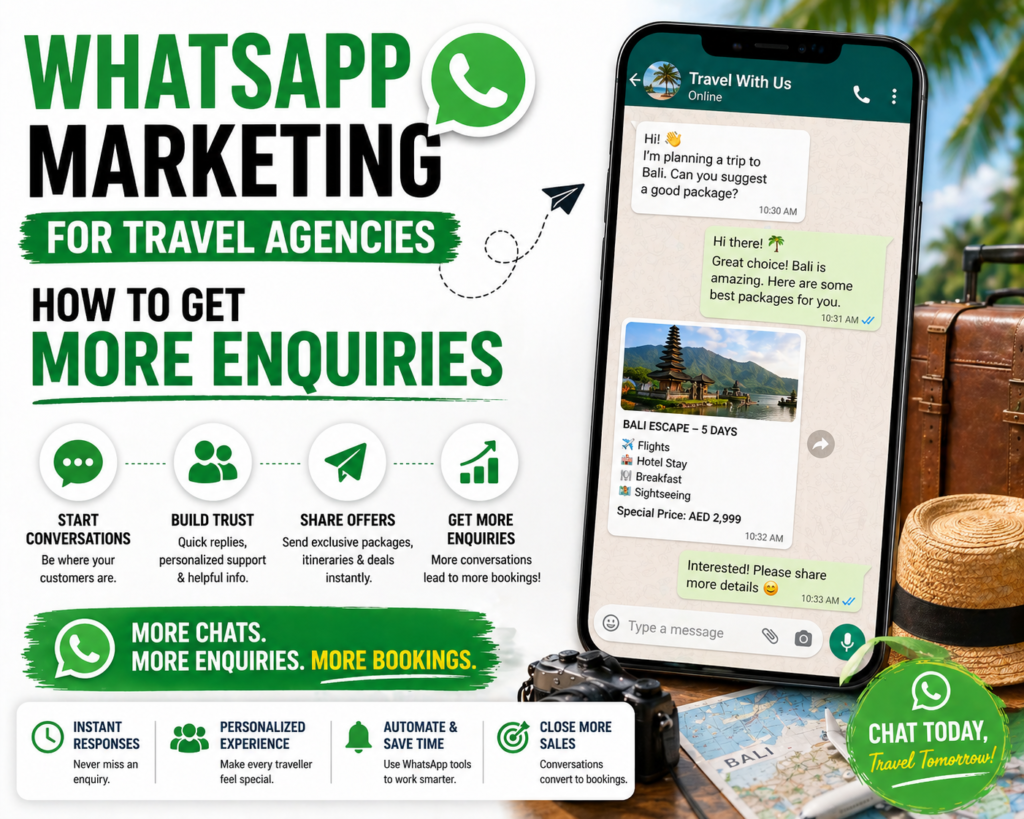
Why WhatsApp Is Essential for Travel Agencies
The short answer: WhatsApp has over 2 billion active users worldwide and is the dominant messaging platform in the UAE, India, UK, and most of Europe — making it the channel most likely to be used by travel agency customers when they want to make an enquiry, regardless of how they first discovered your agency.
The Market Reality
In the UAE — where many travel agencies operate — WhatsApp is effectively the national communication platform. Business conversations, customer service, and purchasing decisions routinely happen through WhatsApp rather than phone calls or emails.
For travel agencies specifically:
- Customers prefer WhatsApp for asking quick questions before committing to a full enquiry
- Itinerary proposals sent via WhatsApp get read far more quickly than emails
- The conversational nature of WhatsApp makes relationship-building more natural
- Many customers feel more comfortable making a high-value booking decision through a channel where they can have a back-and-forth conversation
WhatsApp vs Other Channels
| Channel | Open Rate | Response Rate | Best For |
|---|---|---|---|
| 98% | Very high | Conversational enquiries, quick questions | |
| 25–35% | Moderate | Detailed proposals, formal communication | |
| Phone | Variable | High (if answered) | Complex discussions, closing bookings |
| Social DMs | 60–70% | Moderate | Initial discovery, casual enquiries |
| Contact forms | N/A | Moderate | Structured enquiries, detailed requirements |
WhatsApp’s 98% open rate is the highest of any communication channel — messages are seen almost immediately and responses come faster than any other channel.
WhatsApp Business vs Personal WhatsApp
The short answer: Always use WhatsApp Business for your travel agency — it provides a professional business profile, automated greeting and away messages, quick replies for common questions, broadcast lists for sending messages to multiple contacts, and a catalogue feature for showcasing your destinations and packages.
The Key Differences
Personal WhatsApp:
- No business profile
- No automated messages
- No quick replies
- No broadcast lists (contacts must save your number to receive group messages)
- Mixed with personal messages
WhatsApp Business:
- Full business profile (name, address, description, website, email, hours)
- Automated greeting message (sent automatically when someone first messages you)
- Away message (sent automatically when you’re unavailable)
- Quick replies (pre-written responses to common questions — send with a single tap)
- Broadcast lists (send messages to up to 256 contacts simultaneously)
- Catalogue (showcase your destinations, packages, and services)
- Labels (organise contacts — New Enquiry, Proposal Sent, Booked, etc.)
- Statistics (see message delivery and read rates)
There’s no reason to use personal WhatsApp for business communication when WhatsApp Business is free and provides all of these tools.
Step 1 — Set Up WhatsApp Business Properly
The short answer: A properly set up WhatsApp Business account takes 30 minutes and includes a complete business profile, professional automated messages, quick replies for your most common enquiries, and a catalogue showcasing your top destinations.
Download and Initial Setup
- Download WhatsApp Business from the App Store or Google Play
- Register with your business phone number (not your personal number)
- Verify with the SMS code
Complete Your Business Profile
Go to Settings → Business Profile and fill in every field:
Business name: Your agency name exactly as you want it to appear Category: Travel Agency Description: Your specialisms and a CTA — “Tailor-made Maldives, Kenya safari, and Japan holidays. DM for a free personalised itinerary ✈️” Address: Your office address (if applicable) Business hours: Your actual operating hours Website: Your website URL or Instagram if no website Email: Your business email address
Set Up Automated Messages
Greeting Message (most important) Sent automatically when someone messages you for the first time or after 14 days of inactivity.
Example: “Hi! Thanks for reaching out to [Agency Name] 🌍 I’m [Name], a specialist in tailor-made Maldives, Kenya safari, and Japan holidays. To help me plan the perfect trip for you, could you tell me: 1. Which destination are you considering? 2. When are you thinking of travelling? 3. How many people will be travelling? I’ll get back to you as soon as possible!”
This automated message does three things: confirms they’ve reached the right place, introduces your specialisms, and asks qualifying questions — all before you’ve personally responded.
Away Message Sent when you receive a message outside your business hours.
Example: “Thanks for your message! We’re currently outside our business hours (Mon–Sat, 9am–7pm GST). We’ll respond to your enquiry first thing tomorrow morning. In the meantime, feel free to tell us which destination you’re dreaming of — we’ll have ideas ready for you! 🌍”
Set Up Quick Replies
Quick replies are pre-written responses you can send with a single / command. Set up quick replies for your most common situations:
/pricing — Your pricing approach “Our tailor-made holidays are priced based on your specific requirements — dates, group size, accommodation preferences, and inclusions. We don’t have fixed prices because no two trips are the same! The best way to get an idea of costs is to tell me a bit about your dream trip and I’ll put together a personalised proposal 😊”
/howItWorks — Your booking process “Here’s how our process works: 1. You tell us about your dream trip 2. We design a personalised itinerary within 24 hours 3. We refine it together until it’s perfect 4. We handle all the bookings — flights, hotels, transfers, experiences Everything is ATOL protected and there’s no obligation until you’re happy with the plan!”
/maldives — Quick Maldives info /kenya — Quick Kenya safari info /japan — Quick Japan holiday info
Create Your Catalogue
WhatsApp Business has a Catalogue feature that lets you showcase your destinations and packages like a visual menu.
- Go to Settings → Business Tools → Catalogue
- Add your top 5–10 destinations with:
- A stunning destination photo
- Destination name
- Brief description (“Tailor-made Maldives honeymoons — overwater villas, house reefs, and complete personalisation”)
- Starting price (optional but builds transparency)
- Link to your website destination page
When customers ask “what destinations do you cover?” — share your catalogue instead of typing a long list.
Step 2 — Promote Your WhatsApp Everywhere
The short answer: Your WhatsApp click-to-chat link should appear on every digital touchpoint — website header, Instagram bio, Facebook page, email signature, Google Business Profile, and every landing page — making it as easy as possible for potential customers to start a conversation.
Create Your Click-to-Chat Link
WhatsApp provides a universal link format that opens a conversation with you directly:
https://wa.me/[your number with country code]
For a UAE number +971 50 123 4567: https://wa.me/971501234567
You can also pre-fill a message: https://wa.me/971501234567?text=Hi!%20I%27d%20like%20to%20enquire%20about%20a%20holiday
Where to Add Your WhatsApp Link
Website:
- Header (next to phone number and email)
- Footer
- Every landing page (as a secondary CTA)
- Contact page
- Blog post CTAs
Instagram:
- Bio link (either direct WhatsApp link or via Linktree including WhatsApp)
- Stories — “Chat on WhatsApp” sticker
- Post captions — “DM or WhatsApp us to enquire 👇”
Facebook:
- Page CTA button — set to “Send Message” → WhatsApp
- About section
- Post captions
Google Business Profile:
- Add WhatsApp as a contact option in your profile
Email signature:
- Add “WhatsApp: [number]” or a WhatsApp icon with your click-to-chat link
Business cards and printed materials:
- QR code linking to your WhatsApp click-to-chat URL
Step 3 — Use Broadcast Lists for Warm Outreach
The short answer: WhatsApp Broadcast Lists allow you to send a single message to up to 256 contacts simultaneously — each receiving it as an individual message, not a group message — making broadcasts ideal for sharing destination offers, seasonal promotions, and travel inspiration with past customers and warm leads.
How Broadcast Lists Work
Unlike a group chat (where everyone can see each other’s replies), a broadcast sends your message as an individual message to each recipient. Their reply comes only to you — it looks and feels like a personal message.
Important: Recipients must have your number saved in their contacts to receive broadcast messages. This means broadcast lists work best for past customers and warm leads who already know your agency.
Setting Up a Broadcast List
- In WhatsApp Business go to New Broadcast
- Select up to 256 contacts
- Type your message or use a quick reply template
- Send
Tip: Create separate broadcast lists for different segments:
- Past Maldives customers — for Maldives offers and updates
- Past Kenya customers — for safari offers and news
- Active enquiries — for following up with leads currently in conversation
- VIP customers — for exclusive early access to deals
What to Send via Broadcast
Monthly inspiration messages: “Hi [Name]! Thinking of where to go this year? 🌍 We’ve just had a cancellation on a stunning Maldives overwater villa for October — if you’re considering a late 2026 trip, now is a great time to start planning. Want me to send you some options? 😊”
Seasonal offers: “Good morning! Summer is the perfect time to start planning your winter sun escape 🌞 We have some beautiful Maldives and Kenya packages available for November–February. Shall I put together some ideas for you?”
Personal check-ins for past customers: “Hi [Name]! Hope you’re both well 😊 It’s coming up to a year since your amazing Maldives trip! Are you dreaming of your next adventure? I have some beautiful new options I’d love to share with you…”
The key: Make broadcasts feel personal and genuinely useful — not like a mass promotional blast. The conversational tone of WhatsApp means recipients can immediately tell the difference between a genuine message and a copy-paste promotion.
Step 4 — The WhatsApp Sales Conversation
The short answer: Converting a WhatsApp conversation into a booking follows a natural consultative flow — qualify the lead with 3–4 questions, send a personalised proposal, follow up persistently but warmly, and move the conversation toward a decision by making the next step feel easy and commitment-free.
The Qualification Questions
When a new enquiry comes in, get the information you need to create a relevant proposal:
- “Which destination are you thinking about?” — or if they’ve mentioned one, “Have you visited before or would this be your first time?”
- “When are you planning to travel?” — approximate dates are fine
- “How many people will be travelling?” — and any children/ages if relevant
- “Is there a particular type of experience you’re looking for?” — honeymoon, adventure, relaxation, family
With these four answers you have everything needed to create a personalised proposal.
The Proposal
Send a brief, visually compelling proposal via WhatsApp:
- A stunning destination photo or short video clip
- 2–3 specific recommendations (resorts, itinerary options, experiences)
- Approximate pricing
- A clear next step: “Would you like me to develop any of these options in detail?”
Keep it digestible — WhatsApp is not the place for a 10-page PDF proposal. Lead with the best option and offer to go deeper.
The Follow-Up Cadence
| Timing | Message |
|---|---|
| Day 1 | Send initial proposal |
| Day 3 (if no reply) | “Just checking my message got through — did you get a chance to look at the options? 😊” |
| Day 7 | Share something relevant: “Just heard the new [Resort] opened in Maldives — beautiful reviews. Happy to add this to your options if you’re still considering?” |
| Day 14 | “Still here whenever you’re ready — no rush at all! Just let me know if you have any questions or want me to check availability for any specific dates 🌍” |
| Day 30 | Final touch: “Hi [Name]! Hope all is well. Have you made any progress with your travel plans? We have some lovely availability for [upcoming season] that I thought might interest you…” |
The key is staying in touch without being pushy. Each message should add genuine value or relevant information — not just check if they’ve made a decision.
Step 5 — WhatsApp API for High-Volume Agencies
The short answer: The WhatsApp Business API (accessed through partners like 360dialog, Twilio, or WATI) unlocks automated message sequences, CRM integration, team inbox management, and unlimited broadcast messaging for travel agencies handling more than 50 WhatsApp enquiries per month.
When to Upgrade to WhatsApp API
The standard WhatsApp Business app is perfect for most independent travel agents and small agencies. But as enquiry volume grows, its limitations become problematic:
- Broadcast lists are limited to 256 contacts
- Only one device can use the account
- No CRM integration
- No automation sequences beyond greeting/away messages
Consider the API when:
- You’re handling 50+ WhatsApp enquiries per month
- Multiple team members need access to the same WhatsApp number
- You want to automate follow-up sequences
- You need to integrate WhatsApp with your CRM
API Provider Comparison
| Provider | Best For | Price Range |
|---|---|---|
| WATI | Small-medium agencies | From £40/month |
| 360dialog | Technical teams | From £35/month |
| Twilio | Developer-friendly | Usage-based |
| Interakt | eCommerce/service businesses | From £25/month |
What the API Unlocks
- Unlimited broadcast messaging (with opt-in compliance)
- Automated welcome and follow-up sequences (triggered by customer actions)
- Shared team inbox (multiple agents handling WhatsApp simultaneously)
- CRM integration (every WhatsApp conversation logged in HubSpot, Zoho, etc.)
- WhatsApp chatbot (qualify leads automatically before human handover)
- Analytics (track open rates, response times, conversion rates)
WhatsApp Marketing Best Practices for Travel Agencies
The short answer: The five most important WhatsApp marketing best practices for travel agencies are maintaining a professional but warm tone, responding within 2 hours during business hours, segmenting broadcast lists by destination interest, never sending unsolicited promotional messages, and always providing an easy way to opt out of future messages.
Do’s and Don’ts
Do: ✅ Respond within 2 hours during business hours ✅ Use voice notes for complex explanations — they feel more personal ✅ Send destination photos and short video clips to inspire ✅ Use the catalogue feature to showcase destinations professionally ✅ Ask for permission before adding contacts to broadcast lists ✅ Keep a professional but warm, conversational tone
Don’t: ❌ Send unsolicited promotional messages to people who haven’t opted in ❌ Use WhatsApp for bulk promotional blasts to cold contacts ❌ Respond only during business hours without an away message ❌ Use your personal WhatsApp number for business communications ❌ Send the same mass message to everyone without personalisation
Frequently Asked Questions
Is WhatsApp Business free for travel agencies? Yes — WhatsApp Business is completely free to download and use. It includes all the features most travel agencies need: business profile, automated messages, quick replies, broadcast lists, catalogue, and labels. The only paid option is the WhatsApp Business API, which is worth considering for agencies handling 50+ enquiries per month and needing CRM integration or team inbox features.
What is the difference between WhatsApp and WhatsApp Business for a travel agency? WhatsApp Business provides features specifically designed for business communication that personal WhatsApp lacks — a professional business profile with your agency name and description, automated greeting and away messages, quick replies for common enquiries, broadcast lists for sending messages to multiple contacts, a catalogue to showcase destinations, and labels for organising contacts by stage (enquiry, proposal sent, booked). All of these make WhatsApp Business significantly more effective for travel agency marketing.
How do I add a WhatsApp button to my travel agency website? Create a click-to-chat link using the format: https://wa.me/[your number with country code]. For example, for a UAE number +971 50 123 4567, your link is https://wa.me/971501234567. Add this link to a button or icon on your website. Many WordPress plugins and themes allow you to add a floating WhatsApp button that appears on every page. This is one of the simplest and highest-impact additions to any travel agency website.
Can I use WhatsApp for travel agency marketing in the UAE? Yes — WhatsApp is the dominant communication platform in the UAE and is widely used for business communications. Travel agencies in the UAE should treat WhatsApp as a primary customer communication channel, not a secondary one. Ensure you use WhatsApp Business (not personal), maintain a professional profile, and comply with GDPR/UAE data protection regulations regarding consent for marketing messages.
How many contacts can I message with WhatsApp Business broadcast? WhatsApp Business allows broadcast lists of up to 256 contacts per list. You can create multiple broadcast lists. However, contacts must have your number saved in their phone to receive broadcast messages. For larger-scale broadcasting without this limitation, the WhatsApp Business API (via providers like WATI or 360dialog) allows sending to unlimited opted-in contacts.
How quickly should a travel agency respond to WhatsApp enquiries? Within 2 hours during business hours is the standard to aim for. Research shows leads contacted within 5 minutes convert at 9× the rate of leads contacted after 30 minutes. Set up your automated greeting message to acknowledge receipt immediately and set response time expectations. Use the away message outside business hours so enquirers know when to expect a response.
Should a travel agency use WhatsApp or email for follow-ups? Both — they serve different purposes. WhatsApp is better for quick questions, informal check-ins, sharing photos and videos, and maintaining a warm conversational relationship. Email is better for detailed proposals, itineraries, booking documentation, and formal communication. The most effective approach is to use WhatsApp for initial enquiries and ongoing conversation, then email for detailed proposals and booking confirmations — giving customers their choice of channel for ongoing communication.
What should I send in WhatsApp broadcast messages for my travel agency? The most effective WhatsApp broadcast messages for travel agencies are personalised and genuinely useful — not mass promotional blasts. Effective broadcast content includes: seasonal travel inspiration relevant to the contact’s past interests, early-bird availability alerts for popular departure dates, personal check-ins with past customers asking about their next trip, relevant destination news (new resort openings, seasonal events), and exclusive offers framed as personal recommendations rather than generic promotions.
Final Thoughts
WhatsApp marketing for travel agencies is not optional in markets where WhatsApp is the primary communication platform — it’s essential. And even in markets where it’s one of several channels, it’s consistently one of the highest-converting because of the personal, conversational nature of the interaction.
Set up WhatsApp Business today if you haven’t already. Complete your profile, write your automated messages, set up quick replies for your most common questions, and add your click-to-chat link to every touchpoint.
Then treat every WhatsApp conversation the way your best sales consultant would treat a face-to-face enquiry — attentively, personally, and with genuine expertise. That’s how WhatsApp generates bookings.
For the complete travel agency digital marketing strategy, head back to our Complete Digital Marketing Guide for Travel Agencies. And for more on generating enquiries across all channels, read our guide on how to get more bookings for your travel agency online. 🌍